
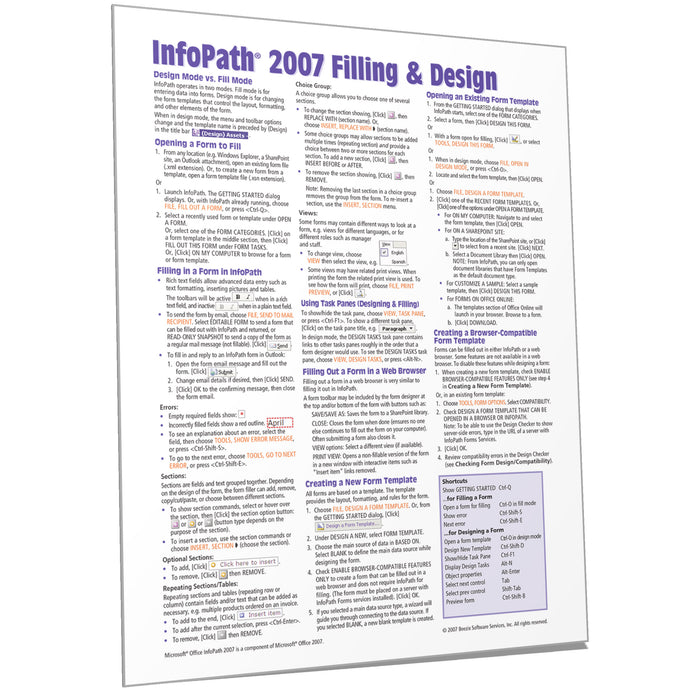
InfoPath 2007 Filling and Design Quick Reference
Original price
$3.60
-
Original price
$3.60
Original price
$3.60
$3.60
-
$3.60
Current price
$3.60
ISBN: 978-1-934433-64-5
Quantity Discount
We offer quantity discounts at 50, 100, and 500+ .
Please email: orders@beezix.com
Laminated quick reference guide showing step-by-step instructions and shortcuts for how to use InfoPath 2007 for both filling forms and introductory design features. This guide is suitable as a training handout, or simply an easy to use reference guide, for any type of user. See topics below. Need version 2010?
This guide is also available in French.
The following topics are covered:
Design Mode vs. Fill Mode
Opening a Form to Fill
Filling in a Form in InfoPath (Tips, Errors, Sections, Repeating Sections/Tables, Choice Groups, Views)
Using Task Panes (Designing and Filling)
Filling out a Form in a Web Browser
Creating a New Form Template
Opening an Existing Form Template
Creating a Browser-Compatible Form Template
Data Sources
Inserting Controls
Laying out a Form
Inserting a Scrollable Region
Showing Object Properties
Advanced Layout with Section Controls
Adding Fields/Groups to the Data Source without Adding Controls to the Form
Deleting a Field or Group
Looking up Data/Secondary Data Source
Restrict Data Entry Using Validation
Conditionally Show/Hide/Format a Control
Previewing a Form
Checking Form Design/Compatibility
Publishing a Form Template
Includes a list of keyboard shortcuts for filling and design.
This guide is also available in French.
The following topics are covered:
Design Mode vs. Fill Mode
Opening a Form to Fill
Filling in a Form in InfoPath (Tips, Errors, Sections, Repeating Sections/Tables, Choice Groups, Views)
Using Task Panes (Designing and Filling)
Filling out a Form in a Web Browser
Creating a New Form Template
Opening an Existing Form Template
Creating a Browser-Compatible Form Template
Data Sources
Inserting Controls
Laying out a Form
Inserting a Scrollable Region
Showing Object Properties
Advanced Layout with Section Controls
Adding Fields/Groups to the Data Source without Adding Controls to the Form
Deleting a Field or Group
Looking up Data/Secondary Data Source
Restrict Data Entry Using Validation
Conditionally Show/Hide/Format a Control
Previewing a Form
Checking Form Design/Compatibility
Publishing a Form Template
Includes a list of keyboard shortcuts for filling and design.